What's New ?
U90 Ladder Help (Version September 17, 2017)
If you are new to U90 Programming, try out the M90 Tutorial, located on U90 Ladder's Help menu.
What's New ?
U90 Ladder 6.6.3x
New Features
A new Jazz controller JZ20-UN20, is now supported in Hardware Configuration.This model offers 9 Digital Inputs including one HSC, 2 Analog/Digital Inputs, 1 Analog Input ,1 PT100/TC , 5 Relay Outputs, and 2 Transistor Outputs.
You can now create .u90 download files by selecting Project> Create Download File, and following the on-line instructions.
Ladder nets are now wide, and reach completely across your PC screen - no empty areas. This gives you twice the editing space.
U90 Ladder and other software utilities are now set to "Run as Admin".
To see what updates have been released for Unitronics software utilities, such as DataXport, Remote Access and UniOPC Server, check http://www.unitronics.com/download.htm .
 Did you know that you can access an additional 1024 registers via Indirect Addressing? (Not supported by Jazz)
 From PID to MODBUS: About Special Functions
U90 Ladder is the software tool you use to create applications for M90, M91, and Jazz PLC s. After you plan the control task, use U90 Ladder to write, debug, and download the PLC control and HMI applications into the controller.
The program editors are where you create and edit both the PLC and HMI aspects of your project application.
There are 3 editors:
The Ladder Editor is a program editor. The Display and Variable Editors are HMI editors. Each editor is operated through a different window. You switch between editors via the Standard Toolbar buttons or in the Project Navigator.
When you are working with U90 Ladder, the optimum PC display resolution is 1024 x 768.
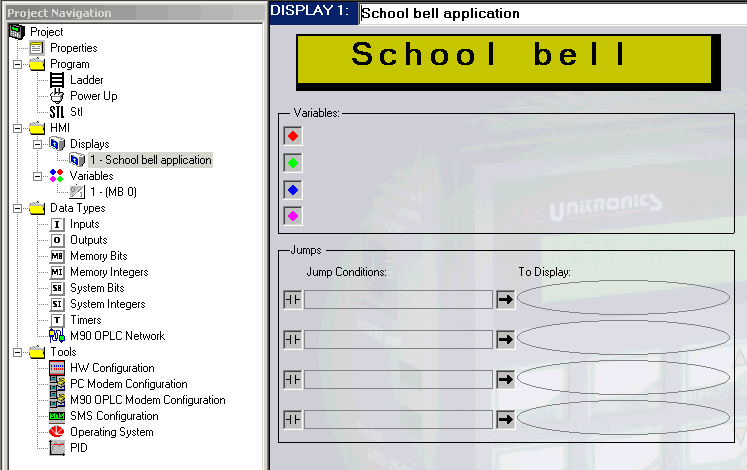
The Project Navigation Tree allows you to navigate easily between components of your program, data types and tools of the U90 Ladder.
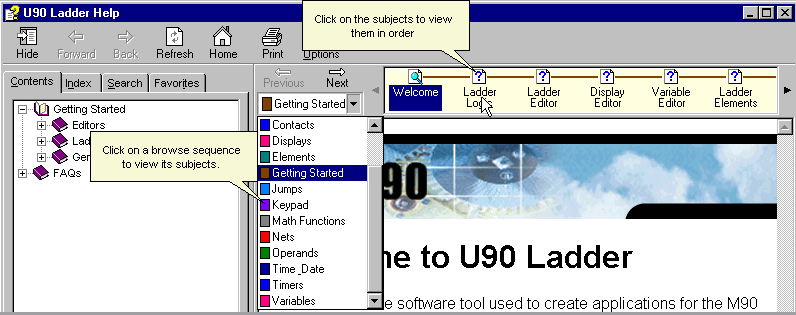
This U90 Help version contains selected browse sequences. These sequences are arranged by topic to help you make the most out of U90's on-line help. The subject of each sequence appears in the Browse pull-down menu as shown below. The subjects in a browse sequence are arranged from general to most specific.
Below, the browser sequence shown is Getting Started.
The topics in this help file are contained in the U90 Ladder Software Manual. This manual can be viewed or printed from the software CD. Note that the help file is always the most current version.
U90 Ladder can be run in a variety of languages, by selecting Language from the View menu, and then clicking on the desired language.
Help
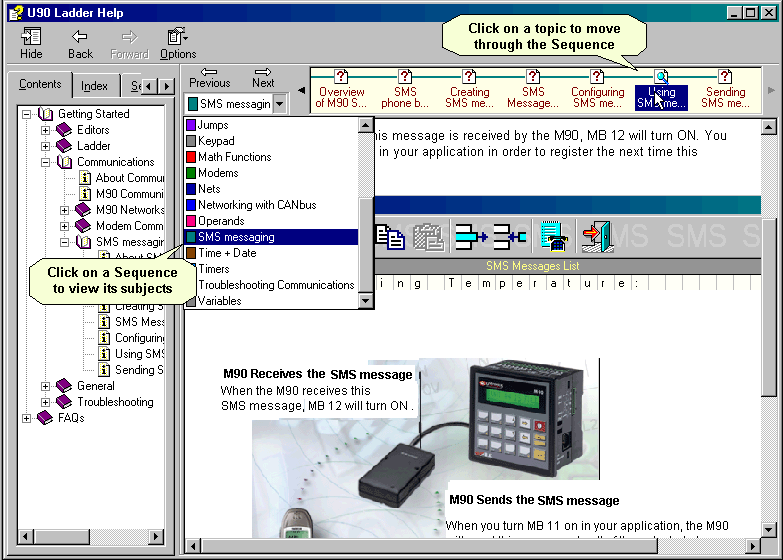
Use the Help browser to learn how to use U90 Ladder effectively. Topics in a browse sequence are classed according to subject. This enables you to see related topics without conducting a search.
The browse sequence shown below is SMS messaging.