Enums
Enums (enumerations) enable you to define a named set of values that a variable can hold.
Instead of using raw integers to represent states like 0, 1, 2 , you give each value a meaningful name - Color.RED, Color.GREEN, Color.BLUE - making your code easier to read, maintain, and debug.
Enums are defined project-wide in the Enums pane and are available across all ST functions in your project. They support strict or non-strict behavior, customizable member values, and full integration with the ST editor including autocomplete and type checking.
Creating an Enum
-
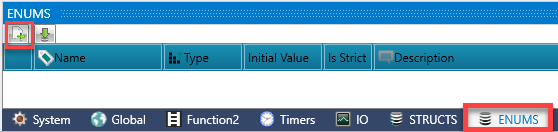
Click the Enums tab on the bottom of the Operand Window. Click Add Enum to open the Enum Editor.
-
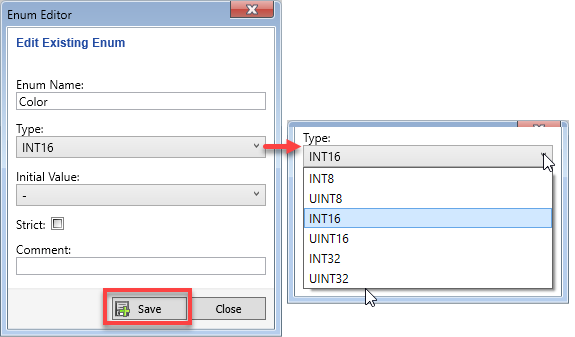
Enter a name for the Enum. Names must be unique and cannot conflict with reserved words, or existing struct names.
-
Select the enum Type (e.g., INT, UINT, SINT). This determines the numeric range of the enum members.
-
Click to open the Initial Value drop-down menu, and select the default value for variables of this enum type when declared without explicit initialization.
-
Choose whether the enum is Strict or Non-Strict.
-
Click Save.
-
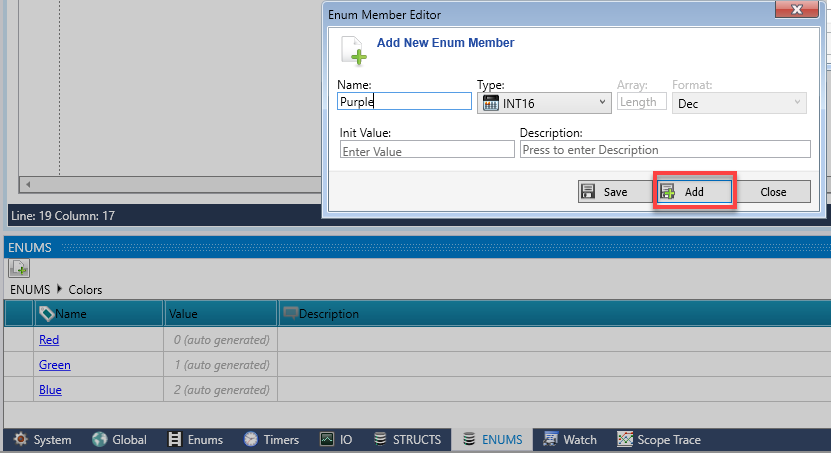
Add Enum members in the Enum Member Editor.
-
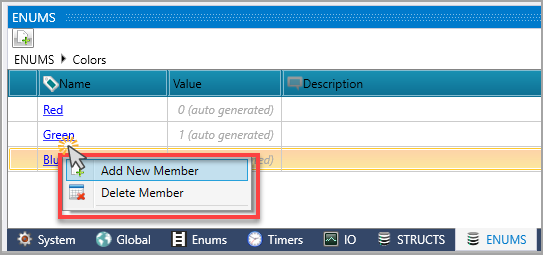
You can also right-click the window to add members to the Enum. You can also delete an Enum.
Note: Before deleting an enum, UniLogic checks whether the enum is used by any tags or ST functions. If the enum is in use, it cannot be deleted until all references are removed.
Editing an Enum
-
To rename an enum: double-click the enum name in the list and type the new name.
-
To change the enum type: select the enum and use the type drop-down.
-
To rename a member: double-click the member name in the grid. All usages of that member in ST functions are updated automatically.
-
To change a member value: double-click the value cell.
 |
After renaming an enum member or changing a member value, all ST functions that reference that member are automatically updated. Download the program to the controller to apply the changes.
|
Importing Enums
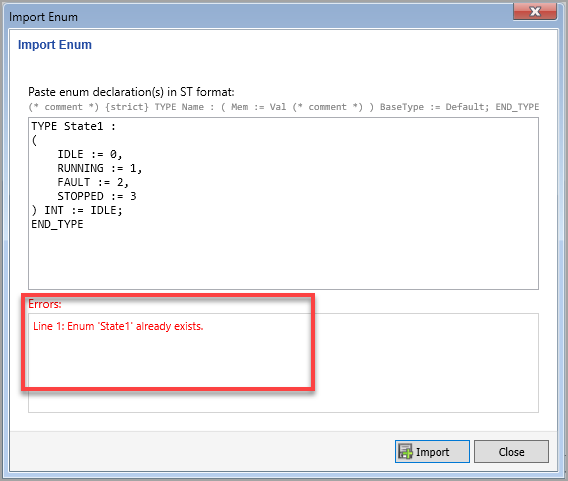
Enums can be imported via copy-paste from another project.
If an enum conflict is detected, UniLogic displays the issue in the Errors pane.
Strict vs. Non-Strict Enums
Strictness controls how the ST compiler handles assignments and casts involving an enum type.
Strict - Only valid enum members are allowed. Integer assignments and conversions from other enum types are rejected.
Non-Strict - Allows numeric assignments and conversions.
Using Enums in ST
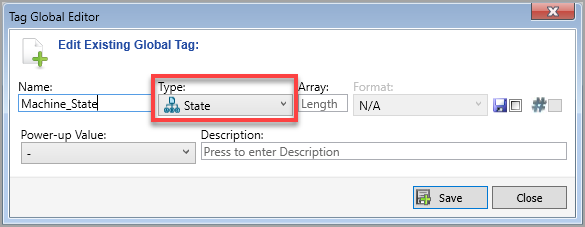
Once an Enum is created, it can be used as a data type in Structured Text.
-
In the variable declaration section, declare the variable using the enum name as the type.
-
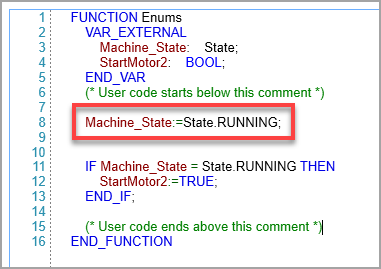
Assign enum members using the enum name followed by the member name.
-
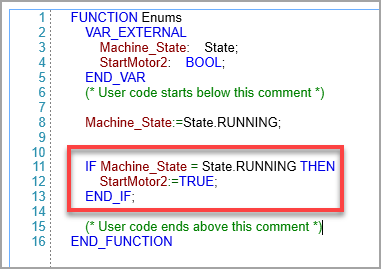
Enum values can be used in conditional logic.
-
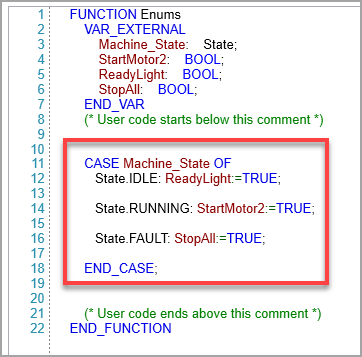
Enums are especially useful in CASE statements for state-machine logic.
Related Topics
ST Language Reference
ST Function Library
IEC Function Blocks