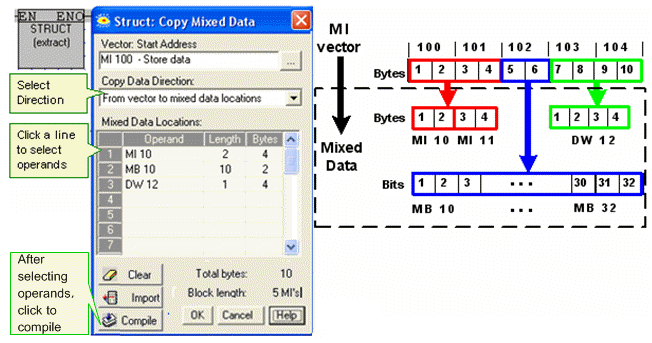
Struct enables you to :
Extract values from a vector of memory operands ( MI, ML, or DW) and write it to mixed data locations (MB, MI, ML, MF, I, O, DW), or,
Collect values from mixed data locations and write it to a vector of memory operands.
Exchange data with URB Remote I/Os
Click the Vector menu on the Ladder Toolbar, then select Struct.
Place the function in the desired net.
Link the desired Operand and Address for the MI, ML, or DW vector.
Select the Copy Data Direction:
-from vector to mixed data locations, or
-from mixed data locations to vector
Link the desired Operands and Addresses for the mixed memory locations.
The examples below show the function directions.
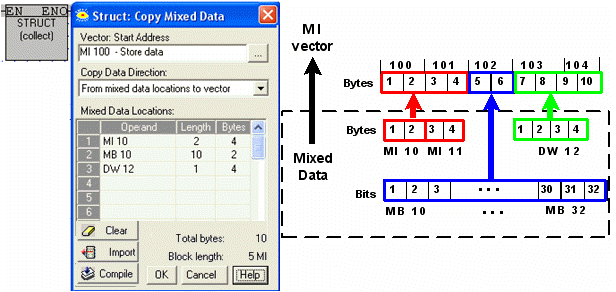
In this case, you import .urli files as explained in the topic Remote I/Os via Ethernet (URB)