Watch Folders enable you to:
Arrange related groups of operands in folders.
Name the folders.
View these operands in the tabbed Output Window at the bottom of the screen.
If you are connected to a PLC, you can enter On-line Test Mode to see real-time operand values.
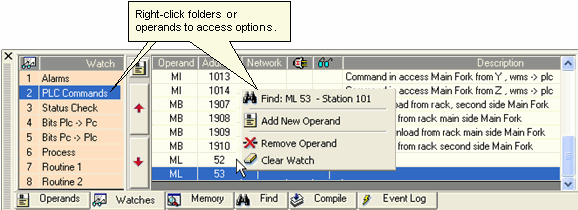
To view a Watch folder, click the Watches tab at the bottom of the screen, then select the desired folder. Edit the folder by right-clicking a line, then selecting the appropriate function.
Adding Operands to a Watch Folder from a net
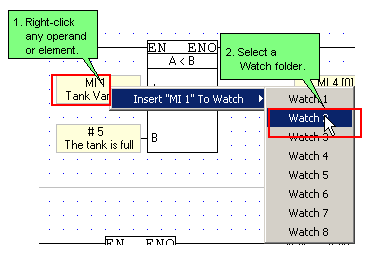
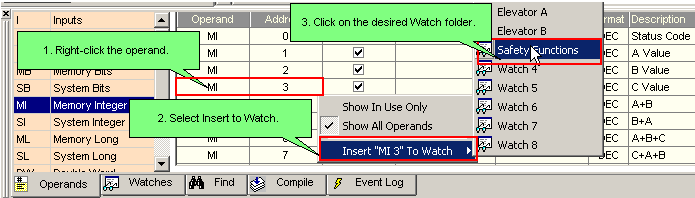
To add a single operand to a Watch folder, right-click it in the Ladder or in the Operand Output Window.
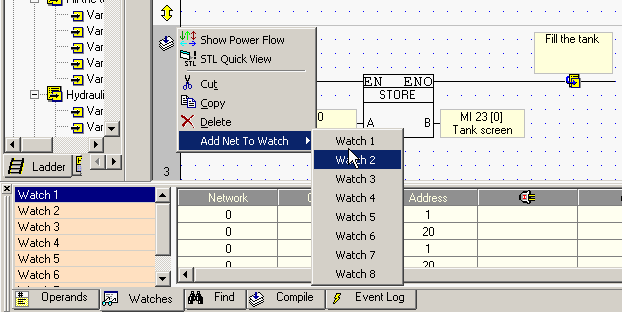
To add all of the operands within a net to a Watch folder, right-click the left-hand rail of the desired net.