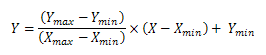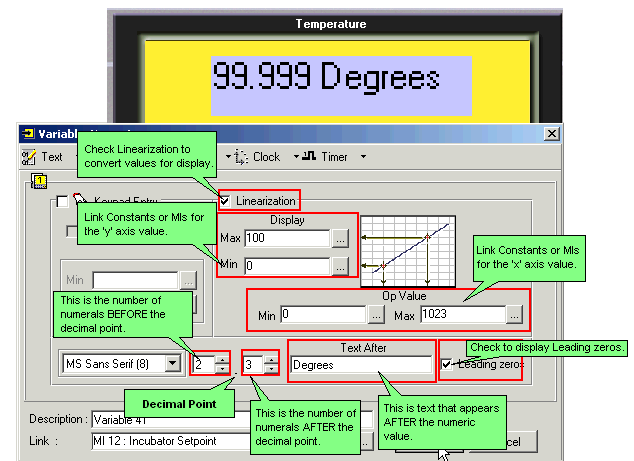
Use Linearization to show a converted value, such as an analog temperature converted to degrees Celsius.
Create a Variable field, and then select Number.
Apply Linearization as shown below.
According to the example:
A temperature entry of 1000 C will be converted to 1023 Digital value.
A temperature entry of 500 C will be converted to 512 Digital value.
|
Note ♦ |
The X and Y values must not exceed the range of -2147483648 to +2147483647. |
|
|
Known Issue Note that the Linearization function cannot be used in cases where one of the following is close to the value FFFFFFFF:
In these cases, use the Formula function with the following equation to produce the value for Display :
|