Initializing the COM port
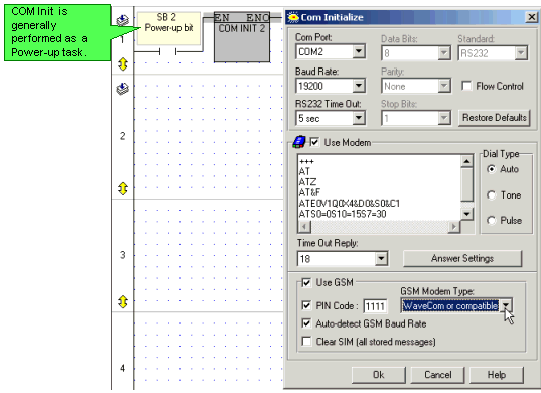
The application is based on the Wavecom GSM modem. The Vision-to-modem connection is via COM 2.
The net shown below is the first net of the main program module. When COM 2 is initialized, SB 82 Modem Initialized: COM 2 turns ON; this condition activates the Dial function in the next subroutine, Enter Phone Number.
Building the Cursor
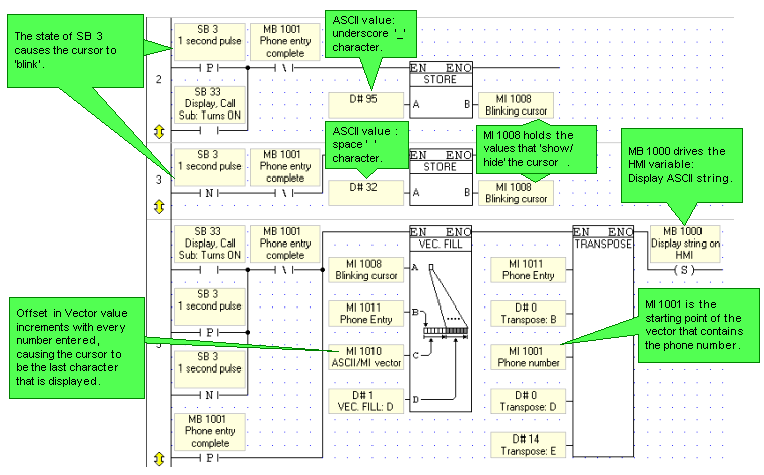
The ASCII values for 'underscore' and 'blank space' are alternately stored into MI 1008 at .5 second intervals. The current value is copied into the Phone Entry vector starting at MI 1011, via a Vector: Fill Offset FB.
The offset value is provided by a counter that increments after every number entered. The offset values ensures that the cursor value is included as the last character in that vector.
Every time a value is entered, Vector: Transpose copies the low bytes of the Phone Entry vector, which contains the ASCII values, to the Phone Number vector starting at MI 1001.
Entering numbers: 'Convert' to ASCII
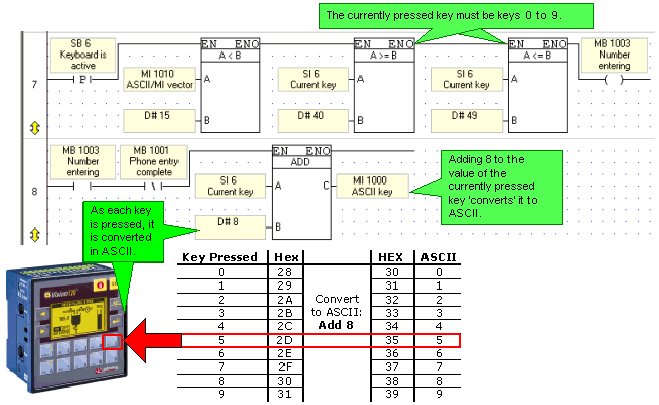
When a key is pressed, its value is automatically stored into SI 6. In this application, whenever keys 0 to 9 are pressed, the value stored in SI 6 is 'converted' to an ASCII value by adding the constant value 8. The ASCII value can then be displayed. For example, if Key#4 is pressed, the value in SI 6 will be 44 (HEX 2C). Adding 8 'converts' the value to 52 (HEX 34), which is the ASCII value for 4. 4 can then be displayed on the screen.
|
Note ♦ |
MI 1010 is incremented whenever a legal value is entered. The incrementing value acts as a pointer, correctly placing entered numbers in the Phone Number vector. |
Placing entered numbers in the Phone Number vector
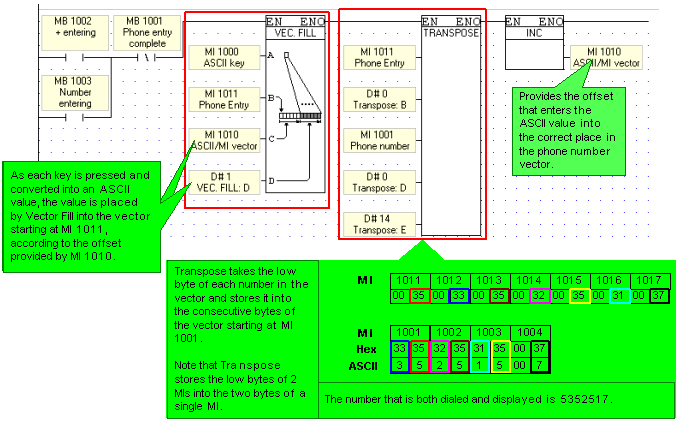
Using the incrementing value of MI 1010 as a pointer, the Fill Vector function places each 'converted' number into the correct register in the Phone Entry vector, starting at MI 1011, .
Via the Transpose function, the low byte of each register in the Phone Entry is copied into the Phone Number vector as shown in the figure below.
Dial and Hang-up
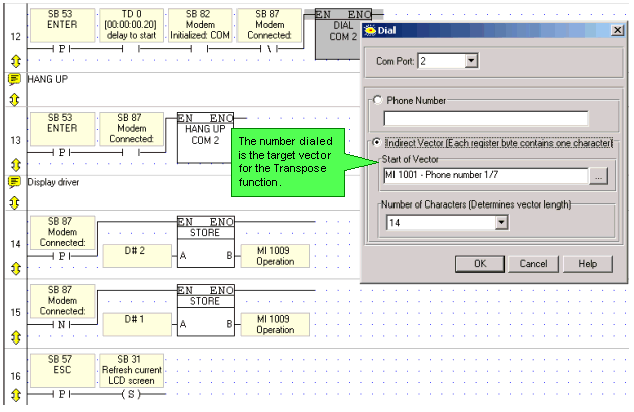
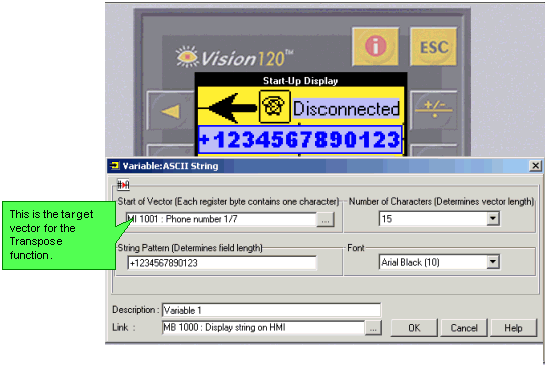
The Dial function is linked to the Phone Number vector starting with MI1001. This vector is also displayed on the controller's screen.
|
Note ♦ |
Since the Enter key is pressed when the user has finished entering the number, SB 53 is used as one of the Dial conditions, as is SB 82 Modem Initialized. |
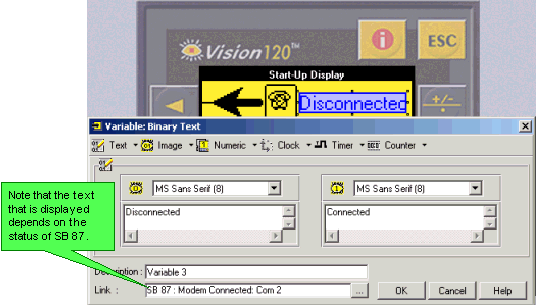
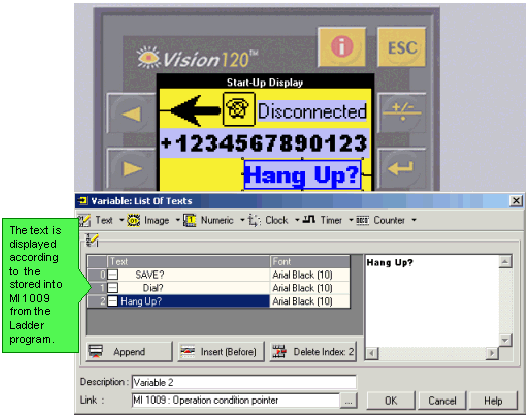
SB 87 Modem connected is used to activate the Hangup function, and to display text on the controller screen.