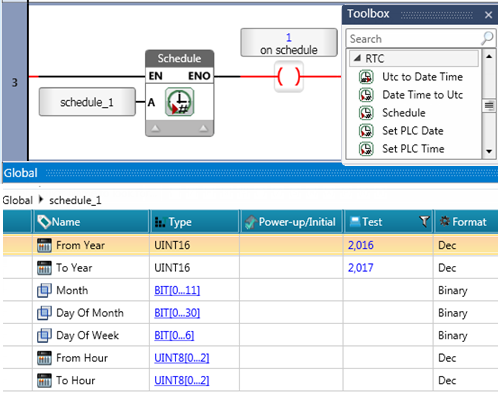
Use this function to control operations based on specified time criteria.
When you place a Schedule function in the Ladder, you link it to a Schedule Struct.
When the program runs, the values in the linked Schedule struct are compared with the current RTC values. If the current time and date are within the ranges in the schedule, power flows through the function. Schedule is located under RTC.
The Schedule Struct:
From Year and To Year - Define the valid years for the schedule. If either value is set, both must be set, and they must be within 1900 to 2100. If you do not want to restrict the Schedule by year, leave both members as 0.
Month, Day Of Month and Day Of Week - Bits arrays specifying the time criteria. If all bits are 0, the corresponding criteria are ignored.
From Hour and To Hour - Arrays specifying hours, minutes, and seconds (valid ranges: hours 0-24, minutes and seconds 0-60). Invalid values result an RLO of 0.
Practical Example:
Weekly Action - To perform an action every Monday at 3PM for 30 minutes:
Set From Year and To Year to 0.
Set the bit for Monday in the Day Of Week array.
Set From Hour to 15:00:00 and To Hour to 15:30:00.
Note that you can use the HMI widget Schedule to enter time values into the struct.