You can control the Touch property of an element via the Touch Enable\ Disable Bit.
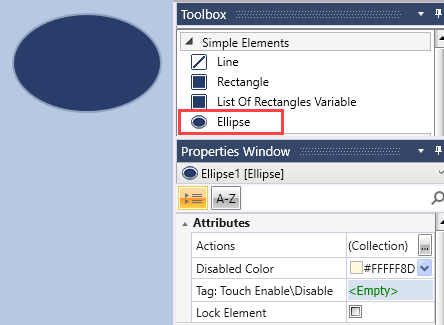
Use this element to draw an ellipse on the HMI display.
Touching an ellipse can activate one or more events, according to the definitions in the Actions property.
|
You can control the Touch property of an element via the Touch Enable\ Disable Bit.
|
|
|
HMI Ellipse Properties |
|
|
Background Color \Image |
Click the drop-down arrow to the right, and then:
|
|
Border Color |
Click the drop-down arrow on the right and select a color. |
|
Border Thickness |
Range: 1-10 pixels To adjust thickness:
or
|
|
Opacity |
Range 1-100% To adjust opacity / transparency, click the bar to the right, and either:
or
|
|
Tag: Visibility |
To control element visibility via Bit:
|