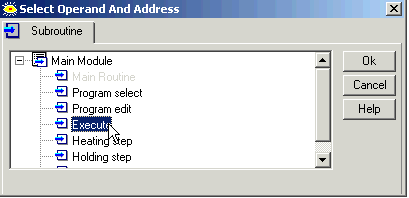
Right-click the desired Subroutine and select Export Subroutine,
-or-
select Export Subroutine from the Project menu; the Select Subroutine box opens.
Select the desired subroutine, then save it to the desired folder.
You can export Subroutines and save them as .vlx files, then import them into other projects. You can import/export single Subroutines, or all of the subroutines in a Module. Note that you cannot export Subroutines from the Main Module.
Exporting a single Subroutine
Right-click the desired Subroutine and select Export Subroutine,
-or-
select Export Subroutine from the Project menu; the Select Subroutine box opens.
Select the desired subroutine, then save it to the desired folder.
Exporting all of the Subroutines in a Module
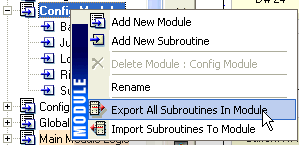
Right-click the desired module and select Export All Subroutines.
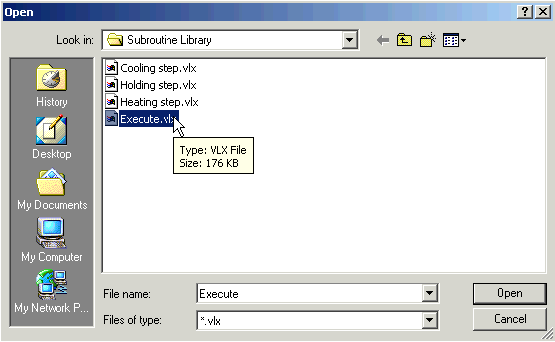
Save the .vlx file to the desired folder.
Note that when you import this .vlx file, all of the Subroutines it contains will be imported.
Import
Right-click a module name and select Import Subroutine,
-or-
Select Import Subroutine from the Project menu; the Open box appears.
Select the desired subroutine, then save it to the desired folder.
Import/Export is subject to the limitations below.
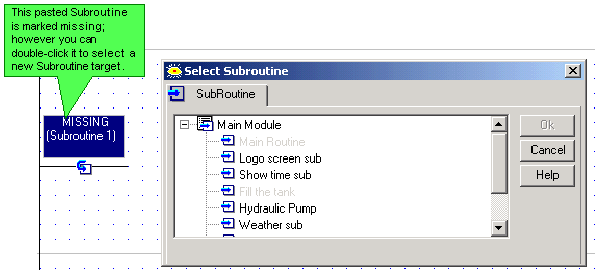
If the source project contains Call Subroutine or Load HMI operations, note that the referenced elements will be marked as missing, even if the target project contains elements of the same name. Note that you can reassign the references.
If the selection contains an FB operation related to an FB Configuration, and is imported into an application containing an FB Configuration of the same name, the links will be retained.
If, for example, you export a subroutine containing an SMS Send FB linked to SMS Configuration 'Denmark' and then import this subroutine into another application containing an SMS Configuration 'Denmark', the SMS Send FB will automatically link to 'Denmark'.
If the selection contains FBs, and no FBs of that type currently exist in the target project, the pasted FBs will be the version currently in VisiLogic FB library--in other words, if the source selection contains older FB versions, they are automatically updated during the Paste operation.
If the selection contains FBs, and FBs of that type currently exist in the target project in a different version, Paste cannot be completed.
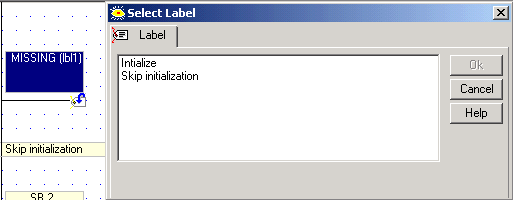
If your selection contains only Jumps, without the attendant Labels, they will be marked as missing, even if the target project contains Labels of the same name. Note that you can reassign the references.
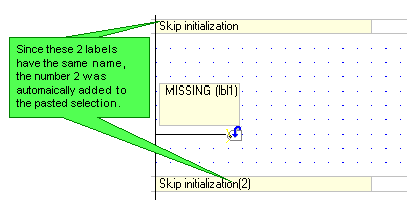
If the selection contains Jumps and Labels with the same name as those in the target project, the Jump, Label and link between them will be automatically recreated by VisiLogic when they are pasted.
In this way, VisiLogic maintains the integrity of the links between Jumps and their corresponding Labels.
Note that the following symbols cannot be used in subroutine names:
/ \ | * : ! " < > . In addition, please note that a name may not include a period followed by a space (for example My. Subroutine).
When importing/exporting from older VisiLogic programs containing such symbols, they will be automatically replaced by underscore characters.