Disabling a net causes the program scan to skip over it.
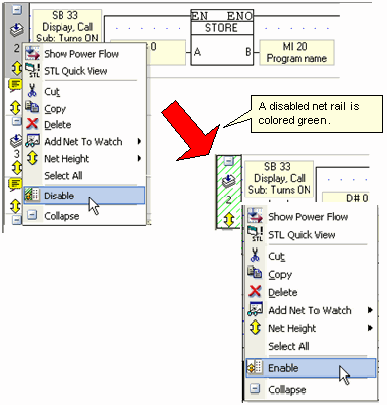
To disable a net, right-click the left-hand Ladder rail and select the Disable option from the menu. The disabled net rail is colored green.
To re-enable the net, right-click the left hand Ladder rail of the disabled net and select Enable.