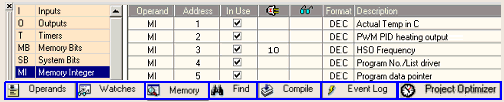
Use the Operands tab in the Output Window to see if operands and I/Os are used in a program, assign power-up and preset values, view current values when you run Test mode, change formats, assign descriptions (symbols), and view and edit Watch Folders. You can also view Project Optimizer results.