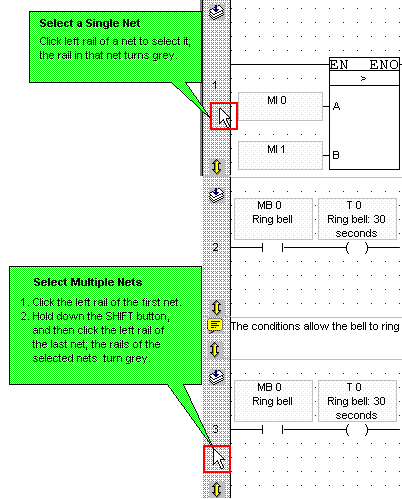
Select the desired net(s).
Select the desired net(s).
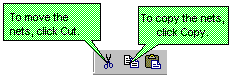
Select the desired operation.
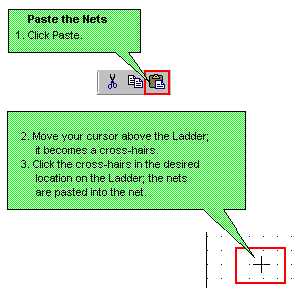
Place the elements in the net.
You can also cut, copy and paste nets between projects, subject to the information listed below:
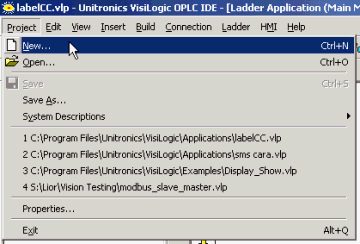
Once you have cut or copied your selection from the source project, open a target project without closing VisiLogic, either by using the New Project or Open project buttons or via these options on the Project menu. If you close VisiLogic, the selection will be lost.
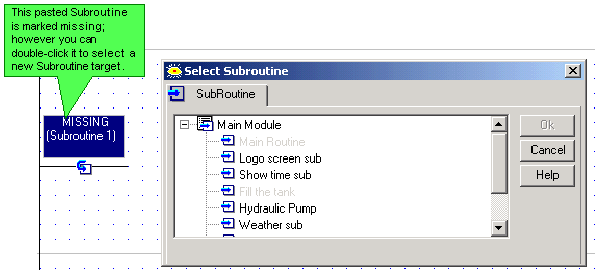
If the source project contains Call Subroutine or Load HMI operations, note that the referenced elements will be marked as missing, even if the target project contains elements of the same name. Note that you can reassign the references.
If the selection contains FBs, and no FBs of that type currently exist in the target project, the pasted FBs will be the version currently in VisiLogic FB library--in other words, if the source selection contains older FB versions, they are automatically updated during the Paste operation.
If the selection contains FBs, and FBs of that type currently exist in the target project in a different version, Paste cannot be completed.
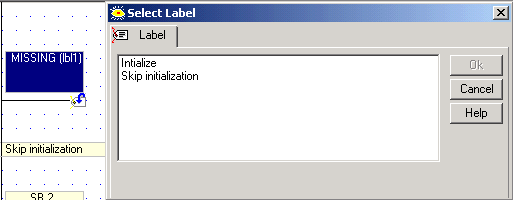
If your selection contains only Labels, without the attendant Jump to Label, they will be marked as missing, even if the target project contains Jumps of the same name. Note that you can reassign the references.
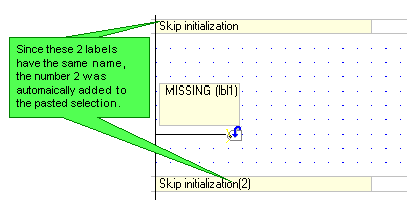
If the selection contains Labels or Jumps with the same name as those in the target project, these will be automatically renamed by the program when they are pasted.
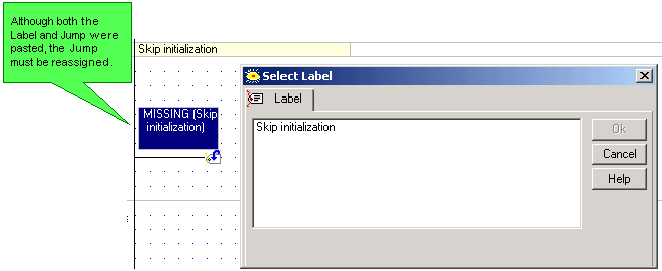
If you copy both Labels and Jump to Label, the Jumps will be marked as missing. Note that you can reassign the references.