Swap Bytes allows you transpose the bytes within MIs, MLs, and DWs.
Click the Vector menu on the Ladder Toolbar, then select Swap Bytes.
Place the function in the desired net.
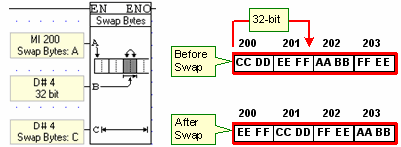
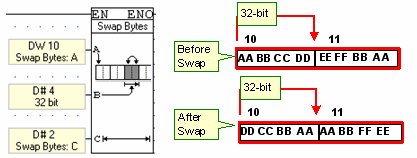
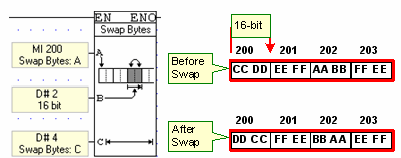
Link the desired Operands and Addresses. Operand A determines the start of the register vector, Operand B whether 16 or 32- bits will be swapped, and Operand C the number of operands that will have their bytes swapped.
The examples below show how the function swaps bytes.