Shift enables you to:
define a vector of operands,
shift the bits or bytes within that vector left
To use this function
Click the Vector menu on the Ladder Toolbar, then select Shift.
Place the function in the desired net.
Link the desired Operands and Addresses.
Operand A: this is the start address for the source vector.
If you select MB or XB, the function will shift bits in the vector, if you select a register type, the function shifts bytes.
Operand B: this is the number of bytes to shift.
Example:
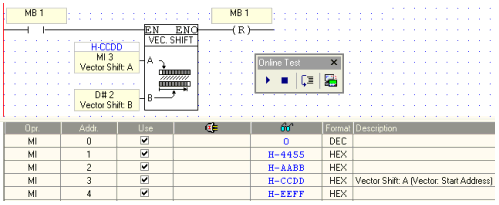
The blue numbers in the figure below show the Online values within the controller. MI 3 is selected for the Shift function.
Below, note the value of MI 3 and MI 4 after the Shift operation.
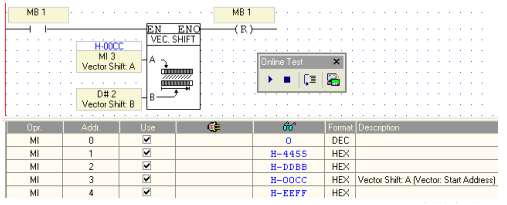
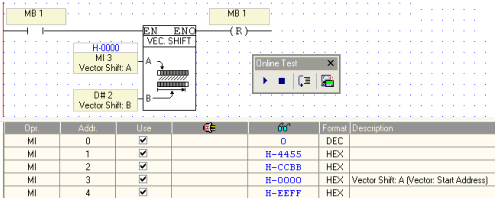
Repeating Shift leaves MI 3 empty.
|
Notes ♦ |
This function cannot be performed on negative values. |