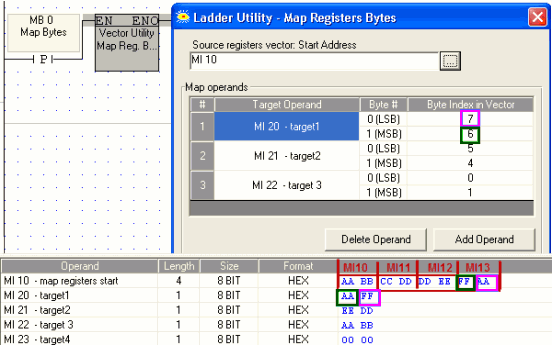
Map Bytes allows you select a register to start a vector of 8 bytes, then copy those bytes to other bytes within other registers.
Click the Vector menu on the Ladder Toolbar, then select Map Bytes.
Place the function in the desired net.
Link the desired Operands and Addresses.
The Source Registers Vector is the start of a vector that is 8 bytes long. Add target operands and map the desired source byte to the target byte.
The example below shows how the function maps bytes. Since the function maps 8 bytes, starting at MI 10 means that the vector includes MI 10, 11, 12, and 13.