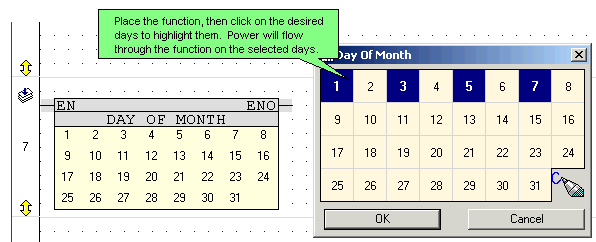
The Day of the Month function enables you to assign tasks or run programs on specific days, such as the 14th and 21st of a month, according to the RTC calendar embedded in the controller.
According to the above example:
On the 1st, 3rd, 5th and 7th the function block's output will be logic "1" (ON).
On the other days of the month the function block's output will be logic "0" (OFF).
Indirect Clock functions are linked to registers. Values may be placed into the linked register by your application, or may be entered via the controller keypad.
The Indirect Month Time function is linked to a 32-bit ML or SL that provides a bitmap for the functions. The ML value shown below contains the decimal value 271077376 (hexadecimal 10285000). According to this value:
On the 12th, 14th, 19th, 21st and 28th of the month the FB's output will be logic "1" (ON).
On the other days of the month the FB's output will be logic "0" (OFF).

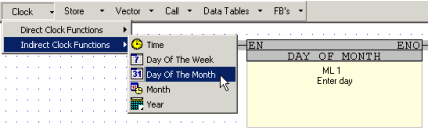
Place an Indirect Day of Month clock function in the Ladder.
Create HMI Displays that include keyboard-entry variables.
This type of variable accepts a number entered via the controller keyboard, and stores the number in a linked operand, ML or SL.
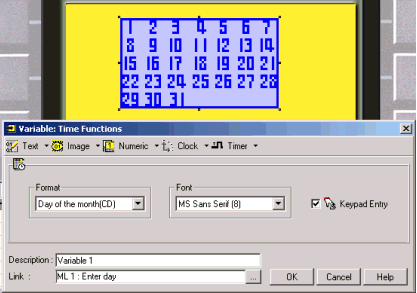
To select the days using the controller's keyboard, the operator uses:
Up and Down scroll arrow keys to scroll through the days of the month.
The <Enter>key to select the desired days of the month.