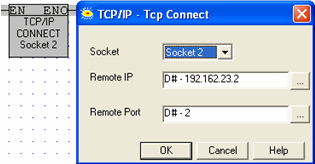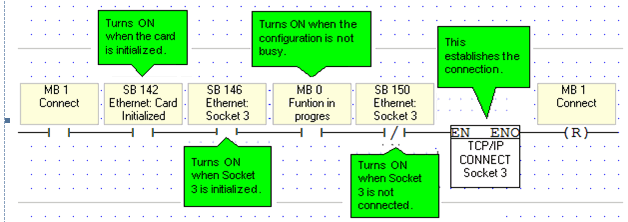
TCP applications require you to use a TCP: Connect FB to establish the Ethernet connection after the Ethernet card is initialized and before activating any of the MODBUS IP commands.
To terminate the session, use the TCP: Close FB. Both elements are located on the Com>TCP/IP menu.
|
Note ♦
|
This function should be activated for only a single scan. |
The TCP Connect function dedicates a socket to communicate with the device whose IP is specified in the function, causing it to ignore communication attempts from other devices.
Such is not the case with UDP. Since there is no formal handshake, communications can continue to flow through a socket even when there are multiple requests.