Dial & Hang-up
These functions are located on the Com menu. Via the Ladder application, they enable a PLC connected to a modem to establish or terminate a data link to another remote modem.
Before you dial, you must enable the Vision controller to communicate via modem.
Dial
This enables you to use Ladder conditions to dial a modem.
|
Notes ♦
|
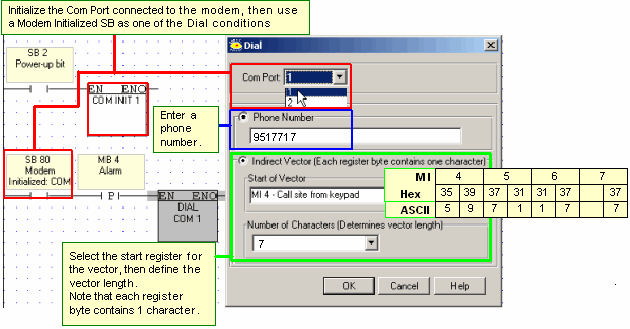
In the conditions used to activate Dial, include the appropriate Modem Initialized SB: 80, 82, or 84
|
|
♦
|
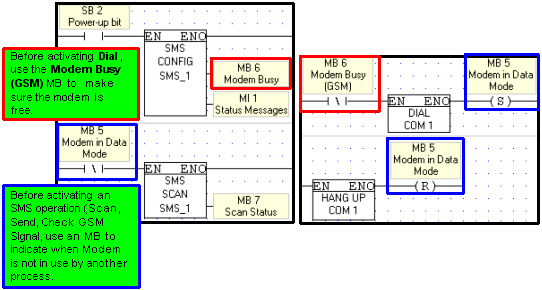
SMS operations can conflict with applications that use the modem for other data communication processes. To prevent conflicts, use the Modem Busy (GSM) MB, and use an MB to indicate when the modem is in use by another data communications process.
|
Hang-up
This enables you to use Ladder conditions to break the connection.
|
Note ♦
|
Before activating Hang-up, check connection status via a Modem Connection SB: 86, 87, or 88.
|
