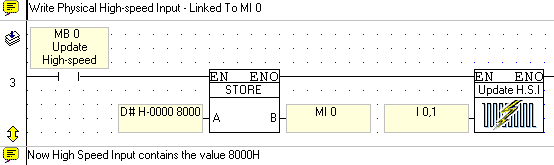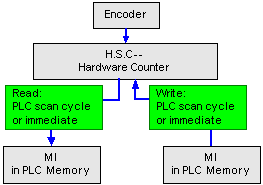
Update High-Speed Input is located on the More> Immediate menu. Use this element to immediately update the current value of a physical, hardwired high-speed input--without regard to the program scan--and use the new input value to execute the PLC program.
When the program encounters Update High-Speed Input, the program immediately compares the actual, current input value against the value in the MI linked to the input.
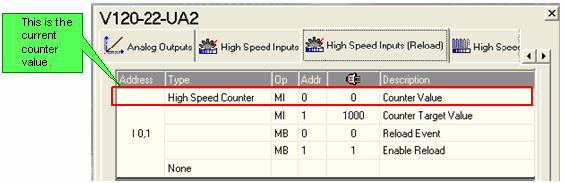
If the values are not equal, the MI is updated with the current input value; the rest of the program executes according to the new input data.
To use Update High-Speed Input, place it in a net after an activating condition and select the desired input.
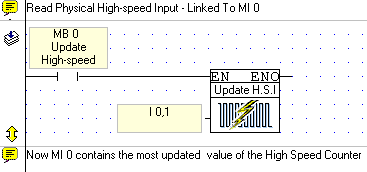
|
Note ♦ |
Within a net,Update High-Speed Input should stand alone except for its activating condition. |