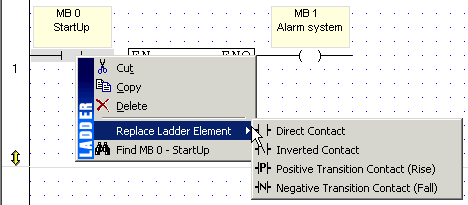
To change an element type after it is placed in a net and linked to an operand:
Right-click the element, select Replace Ladder Element, then select the appropriate element type.
After the element has been changed, it remains linked to the same operand.
You can use this method to change contact or coil types, to switch math and other function types while retaining the same input and output operands.