On the Ladder toolbar, click on the Insert Net icon  ; your cursor changes into cross-hairs.
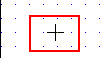
Click on a net; the new net is inserted above the net you clicked on.
To add a net to the bottom of your Ladder:
Select the Append Nets icon from the Insert menu;three nets are added to the bottom of the Ladder application. .
To insert a Ladder net:
On the Ladder toolbar, click on the Insert Net icon ; your cursor changes into cross-hairs.
Click on a net; the new net is inserted above the net you clicked on.