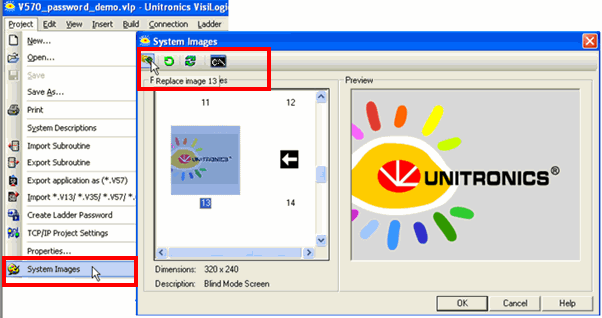
You can customize your application by replacing system images, such as the Unitronics' Splash Screen, and the Unitronics' icon that appears in Information mode, with your own custom images.
On the Project menu, click System images.
Click on the desired image, click on Replace Image, and navigate to your custom image.
To replace the Splash Screen, click the final icon on the toolbar.
|
Notes ♦ |
You can restore default System Images by clicking on the appropriate button |
|
♦ |
You can replace the virtual keypad images; however note that the touch locations for the keys will not be changed from the default. |