This HMI utility enables you to place background axes for graphs.
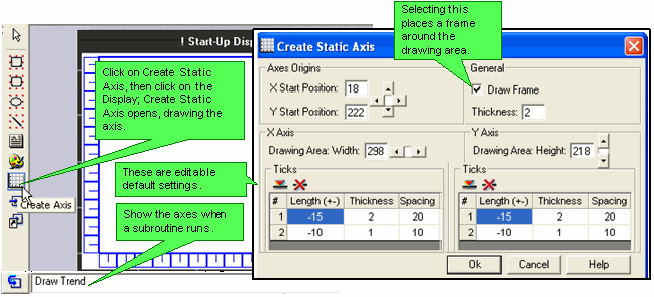
Click on Create Static Axis, then click on the Display.
Create Static Axis opens, drawing the axis and showing the default settings.
Edit the default settings, if desired, then click OK.
The default settings may be edited; you can also select whether to place a frame around the Draw area.