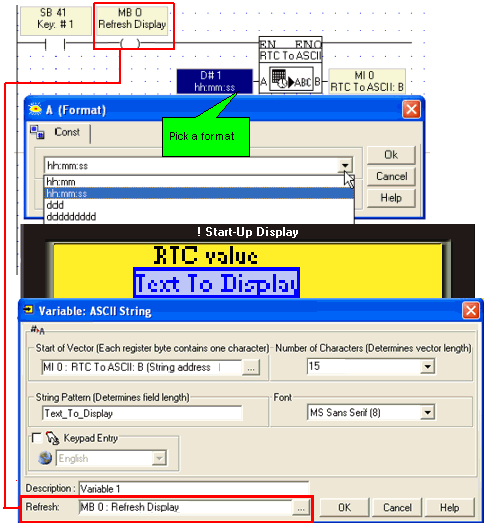
You can display an RTC value as an ASCII string by using the RTC to ASCII function together with the ASCII String variable.
To use Display RTC:
Select RTC to ASCII from the String menu on the Ladder toolbar.
Place the function in the net, and select a display format; both European and American format are available.
In the HMI Display, select Display RTC from the Text Variable menu.
When the program shown below is downloaded, pressing key 1 on the Vision's keypad will display the current time on the Vision's LCD.
.