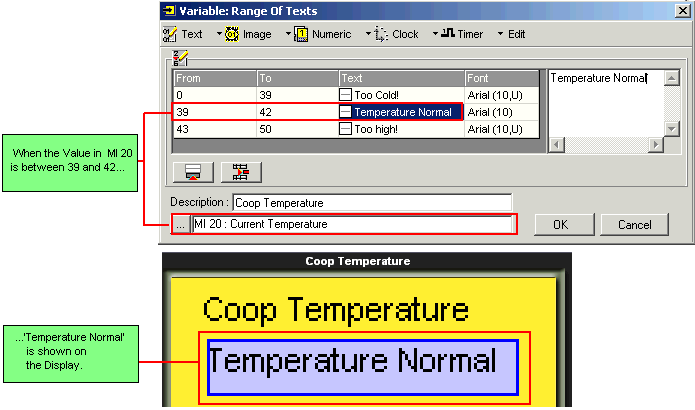
This type of Variable contains lines. You define a range and enter text for each line, and link the Variable to an operand. The value within this operand is compared to the ranges you have defined for each line. When the operand value falls within a specified range, the text assigned to that range is shown in the Display.
Note that you can define the beginning and end of a range using either a Constant value, or an MI.
Create a Variable field, and then select Range of Texts: by Pointer.
For each line: define the beginning of the range, the end of the range, and assign text.
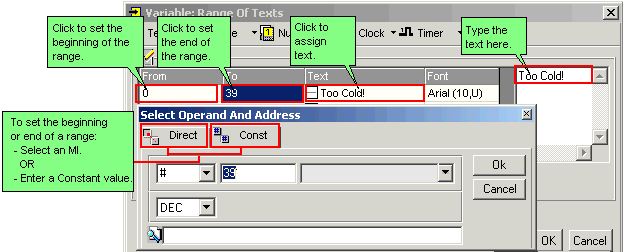
Use the Add Line button and Delete Line button as needed.

