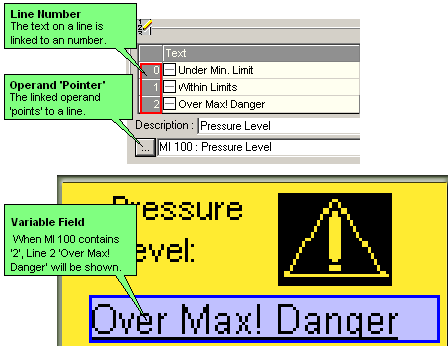
This type of Variable contains numbered lines of text. You link the Variable to an operand. The value within that operand 'points' to the number of a line within the list. When the operand value is equal to a particular line number, the text of that line is shown in the Display.
Create a Variable field, and then select List of Texts: by Pointer.
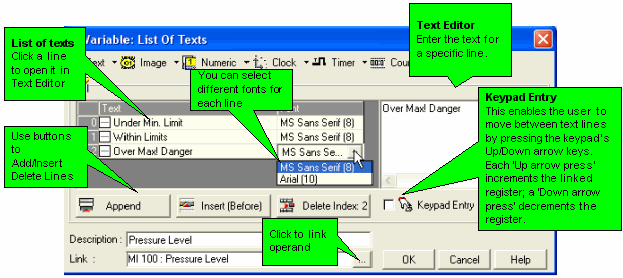
Define the Variable by entering lines of text and linking an operand.
|
Note ♦ |
By using the Keypad Entry Option, you can also enable the user to select a line using the Up/Down keypad arrows. |
|
♦ |
The Keypad Entry option is not supported for Touchscreen-only models (V290). |