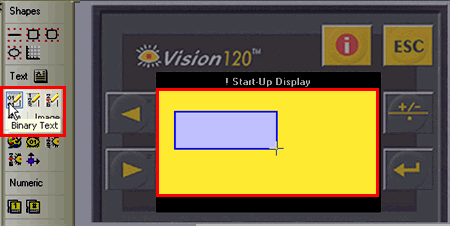
Click on a variable in the HMI toolbar, then click on the HMI screen and drag your cursor to create a field for the display of the variable data.
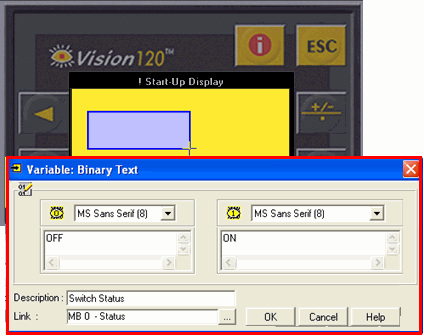
Release the mouse button; a dialog box opens, enabling you to define the source of the variable data.
The next image shows a binary variable, named Switch Status, linked to MB0.
When MB 0
= 0, the text OFF will be displayed in the field.
=1, the text ON will be displayed in the field.