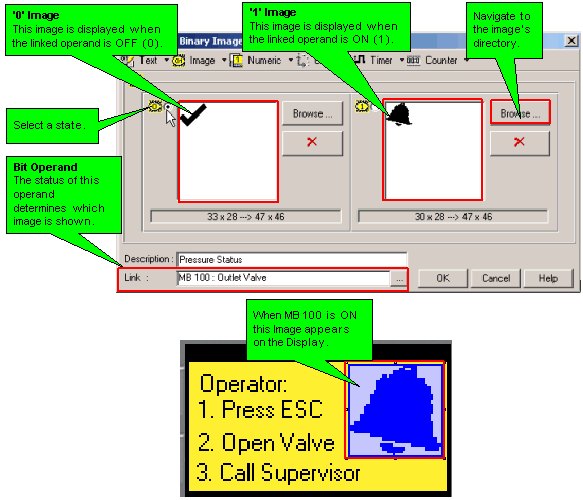
This type of variable displays a different image on the controller's LCD screen according to the status of a bit operand.
Click on the variable in the Variable toolbar, then click on the HMI screen and drag your cursor to create a field for the display of the variable data.
Release the mouse button; a dialog box opens, enabling you to define the source of the variable data.
Link a bit operand, and select images for both bit states.
Selecting Switch assigns an MB and built in Touch property to a binary Text or Image variable. Touching the variable toggles the image or text displayed.