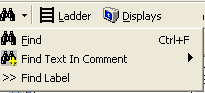
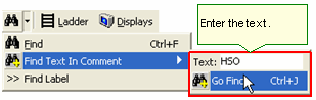
Click the Find button, then select Find Text in Comment.
Enter the text, and then either click Go Find, or press Ctrl +J to start the search; the Find Text utility closes, and the search begins. If the text is found, the Ladder will scroll to display that comment.
To continue searching through the Ladder for the same text, press Ctrl + J. Note that every time you press Ctrl + J, the utility will continue to search down, even though the Find Comment window does not open.