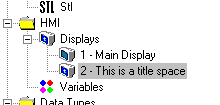
To delete a Display:
In the Display Editor:
In the Navigation Window, click on the Display number you want to delete. The Display will open in the Display Editor.
On the Standard toolbar, click Delete.
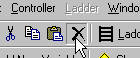
The Display is deleted. You see that the Display number disappears from the Navigation Window.