
You can only import a file that has been exported from UniLogic.
You can export Global, Local, and I/O Data Tags into Excel, edit them, then import them back into UniLogic via Import Export on the PLC ribbon.
|
You can only import a file that has been exported from UniLogic. |
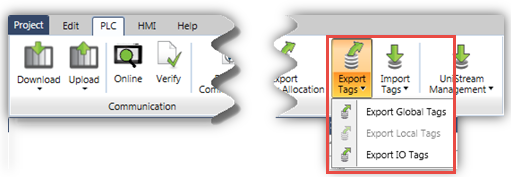
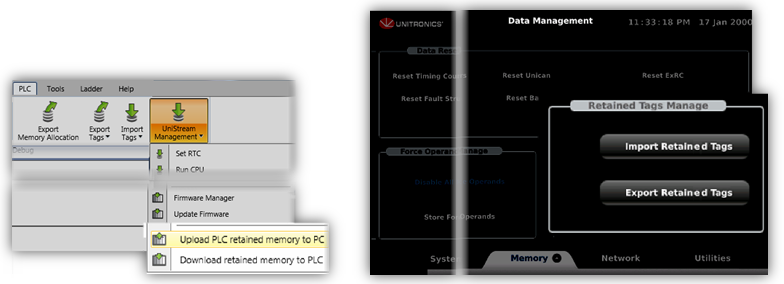
The Retained Values of Data Tags can be exported and imported to a .hex file. This file can then be imported or exported via:
UniLogic, using options on the UniLogic ribbon>PLC tab>Import/ Export.
A DOK (USB stick) using UniApps UniApps, via Data Management>Memory> Retain Tags Management.
|
When you export a file, it is automatically named RetainedTags_r.hex To import a file a file via UniApps, the file must be renamed RetainedTags_w.hex (replace the letter r with w) |
|
To import a file a file via UniApps, the file must be named RetainedTags.hex |