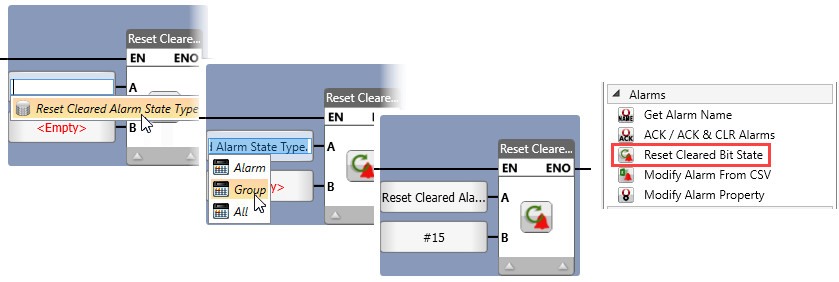
When a user resets an Alarm via the HMI, the corresponding bit in Global>Alarm Status Struct>Alarm Cleared State is set to 1.
Use this function to reset the entire bit array, a specific bit, or the bits for an Alarm group.
|
|
Parameter Name |
Purpose |
|
A |
Reset Type |
Click to select the required reset type:
|
|
B |
ID of Alarm |
Use a constant or tag value to select the ID of the alarm or alarm groups. Note that the alarm ID may be from 1-1024, alarm groups are 0-31 |