Binary Image Attributes
Actions
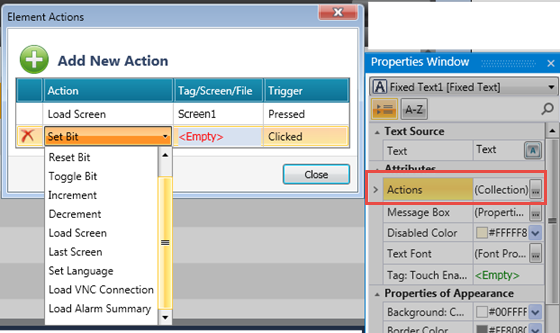
Actions enable a single Touch Element to trigger multiple events. Multiple bits can be linked to one element, triggering Load screen, set, reset, and toggle bits, and more.
To create an action:
-
Place an element on the screen.
-
Select Actions> Collections in the Properties Window.
-
In Element Actions, click Add New Action.
-
Select the Action, Operand or Screen, and the action Trigger.
Message Box
Elements that offer actions also allow you to show users a Message Box, a popup message that opens when the user touches the element.
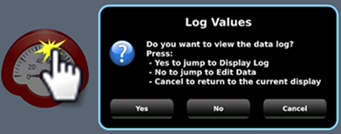
The message can ask the user a question, or give instructions and warnings.
You can select icons, include buttons in the Message Box and use the buttons to drive actions.

Tag: Link
The value of this tag determines what is displayed in the HMI element.
Images, Binary
Click the Images, Binary Collection to assign the imagesimages to represent status 0 and status 1 for the linked tag.
To select an image from the UniLogic Library, select UniPics (PNG, JPG) or UniSVGPics (SVG) in the Windows File Explorer.
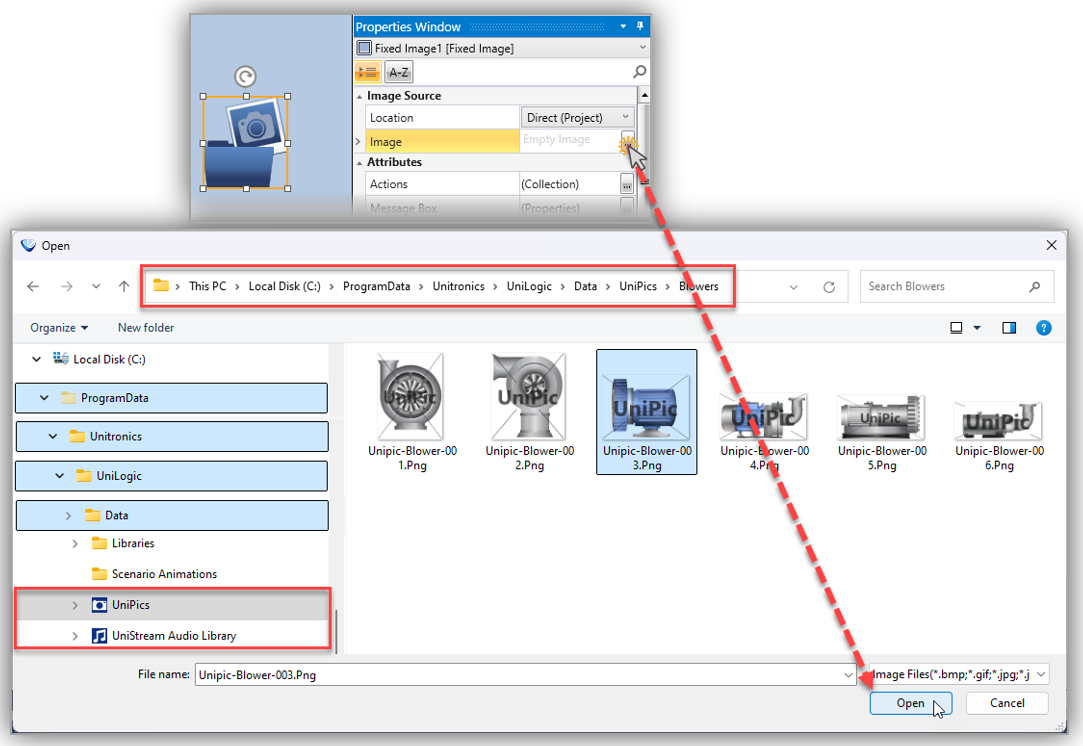
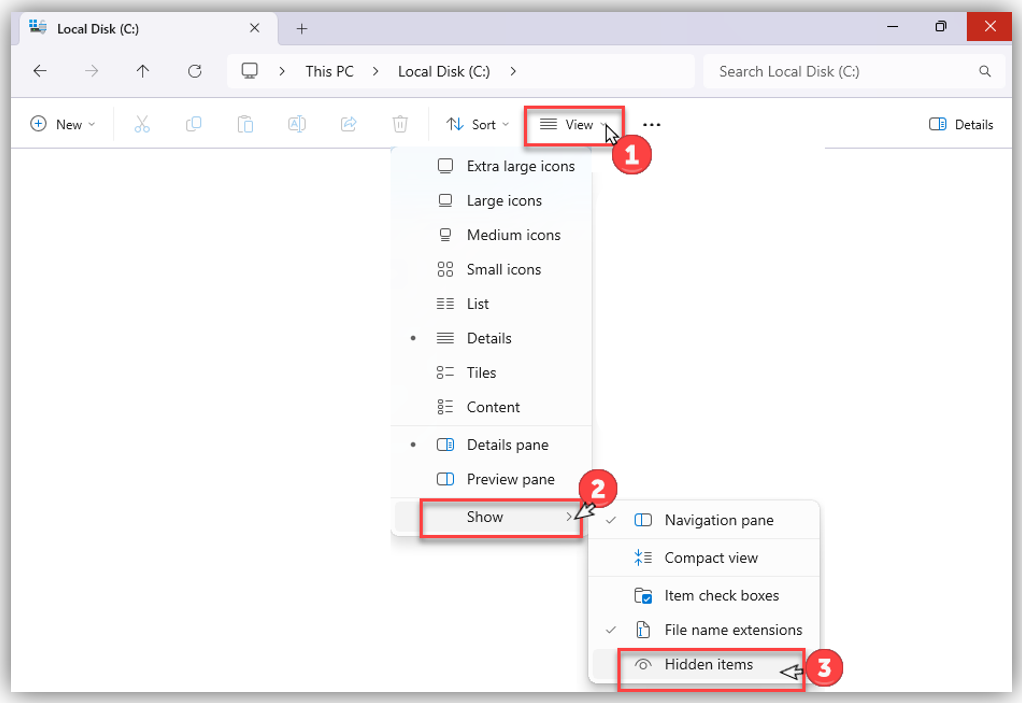
Note: To access the ProgramData folder in the Windows File Explorer, you must toggle on View > Show > Hidden itemstoggle on View > Show > Hidden items.